One Connected Business System
Templates joins your website, front end, back end, and outside tools into one customizable system, resulting in less work and fewer errors. You get the capabilities of big-box software while keeping QuickBooks as your books.
Software that changes to fit your business, not the other way around
Most management software forces you to change your workflow, or to patch the gaps with other tools. Templates keeps your information in one place and adapts to how you work today, and again as your business changes.
- Add a custom field or approval step
- Update the action events on the screen
- Enjoy a refined work flow process
What is Templates?
Templates is a suite of customizable business applications built inside Method:CRM. It manages your financial, customer, work, and employee data in one unified system, replacing spreadsheets, disconnected tools, and manual processes.
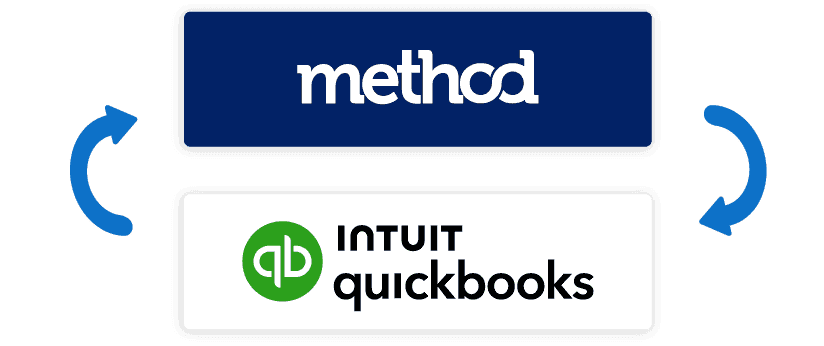
Powered by Method's platform, every workflow you create syncs in both directions with QuickBooks, so you keep your accounting system and avoid double entry. As your business grows, Templates adapts with you. Every screen, automation, and workflow can be tailored to fit your evolving needs.
Website▾
Front End▾
Back End▾
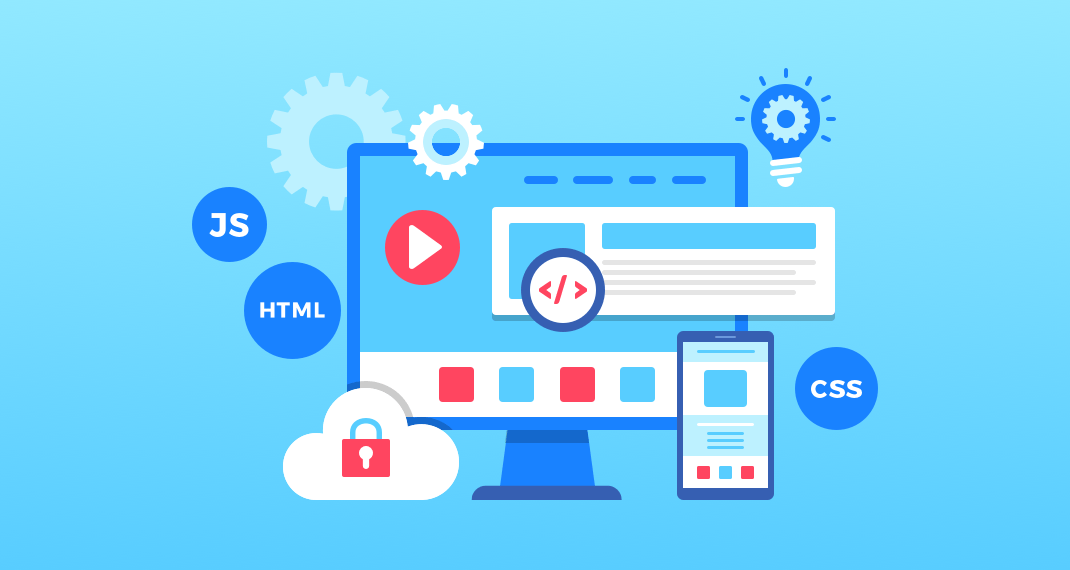
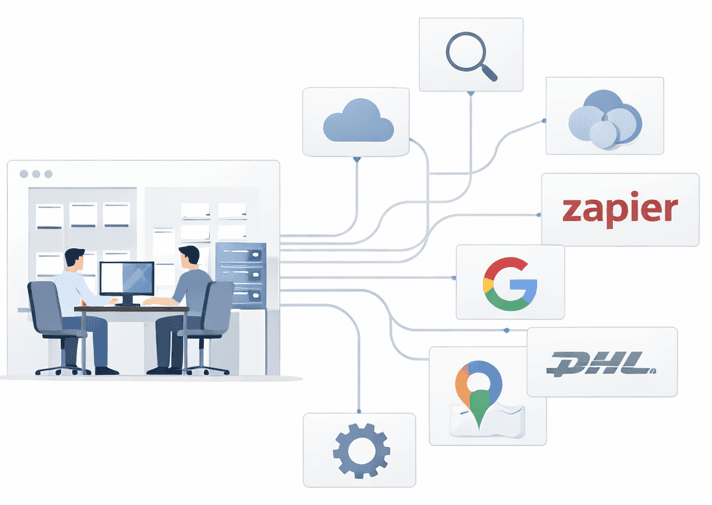
External Integrations▾
Your Digital Storefront
The face of your business. We'll work with you to create the image and customer experience that fits your business.
- • Website design
- • Online forms
- • Lead capture
- • SEO
- • Hosting
- • Method integration


Two‑way sync with QuickBooks — no double entry, ever.
Keep QuickBooks or Xero as your books. Changes flow both ways, with no migration.
Prebuilt Apps for Every Part of Your Business
Method on its own is a blank canvas. These apps are the finished foundation: ready to use, easy to tailor.
Customer Portal
A branded login where customers follow their jobs, see photos, and review invoices.
Online Shop
Sell products online, with orders flowing straight into your accounting.
Book Appointment
Let customers pick an open time themselves, any hour of the day.
Work Orders
Send jobs to the field and collect photo proof when they're finished.
Plus more, all customizable:
Customized to Match Your Exact Workflows
Custom fields, workflow logic, approvals, automations, industry layouts. We tailor each app to how you work, so your budget goes to what makes you unique, not rebuilding the basics.

Integrations That Connect Your Entire Business
We connect the tools you already use and build the ones you don't. Everything feeds back into one system.
Prebuilt, ready to use
Custom built for you


Why Templates?
Keeping what you have, weighing big-name CRMs, or starting from a blank platform? Here is how they compare. Full comparison and cost factors →
DIY setup
Spreadsheets, separate tools, or a blank platform
- Information copied into several places
- Manual re-entry that invites errors
- Takes forever to build the foundations
- More admin time just to keep it running
- Missing features and no real connection between tools
- Patching software together to make it work
Other platforms
Big CRMs, suites, and fixed software
- Expensive once seats, onboarding, and add-ons add up
- Lacking the features you actually need
- Not adaptable: you change to fit the software
- Hard to change as you grow
- Can mean replacing QuickBooks and a heavy migration
Templates
Method's platform, finished for you
- One adaptable home for operations and finances
- Prebuilt, connected apps that work out of the box
- Keep QuickBooks or Xero, with two-way sync
- Easy move-over: books stay put, we bring your data
- Custom tools for maps, tracking, and more
Choose how you want to work with us
Start with the apps, tailor them, or add a website. Many clients do more than one.
Customization
Tailor screens, workflows, and automations. Hourly, pay-per-use, or a lower-rate service plan.
See customizationWeb design
Websites and portals that work with your data: maps, order status, online shops.
See web designGood to know: Templates runs on Method:CRM
You'll need a Method subscription (base fee only, billed by Method) and QuickBooks or Xero for the sync. No Method add-on packs or basic apps needed. We'll help you set up in your free consultation.
Built for Businesses That Run on Jobs, Customers, and Invoices
Templates adapts to your industry. A few places it fits well.
Home services
Estimates, work orders, scheduling, and photo verification of finished jobs.
Construction
Track projects, crews, and change orders, then invoice straight from the job.
Distribution and shipping
Live shipment tracking that staff and customers can both see.
Watch the Product Walkthrough
Method provides the platform. We build the applications. See how it all connects.
Frequently Asked Questions
Do I need Method:CRM to use Templates?
Yes. Templates is built inside Method:CRM, so it runs on a Method account, and Method's base fee is required. It is billed by Method, separately from Templates. You don't need Method's additional packs or its basic applications when you use Templates applications. We can walk you through the setup during your free consultation.
Do I need QuickBooks?
To use the accounting sync, yes. You'll need a QuickBooks account (Xero is supported as well). Your books stay where they are, and Templates keeps them in step with the rest of your business.
How does the QuickBooks sync work?
Every workflow you build in Templates syncs with QuickBooks in both directions, so invoices, customers, and payments only need to be entered once. Xero is supported as well.
Can Templates be customized to fit how we work?
Yes. Every screen, automation, and workflow can be changed, including custom fields, approval steps, automation triggers, and industry-specific layouts.
How much does it cost?
Customization is billed hourly, with a pay-per-use option and a lower-rate dedicated service plan for ongoing support. Method's own fee is billed separately by Method, and any introductory discount on it ends after the first few months. The Why Templates page lists everything that affects your total, and the free consultation helps us scope your project and give you a clear estimate.
How long does setup take?
It depends on how much you want customized. We'll give you a timeline after the discovery step, before any build work begins.
What about the data I already have in spreadsheets or other tools?
Your books can stay in QuickBooks or Xero, and bringing your existing spreadsheet and CRM data across is part of what we scope in the consultation. You aren't starting from scratch or replacing your accounting system.
Ready to run your business from one connected system?
Book a free consultation. We'll show you what Templates can do and give you a clear estimate.